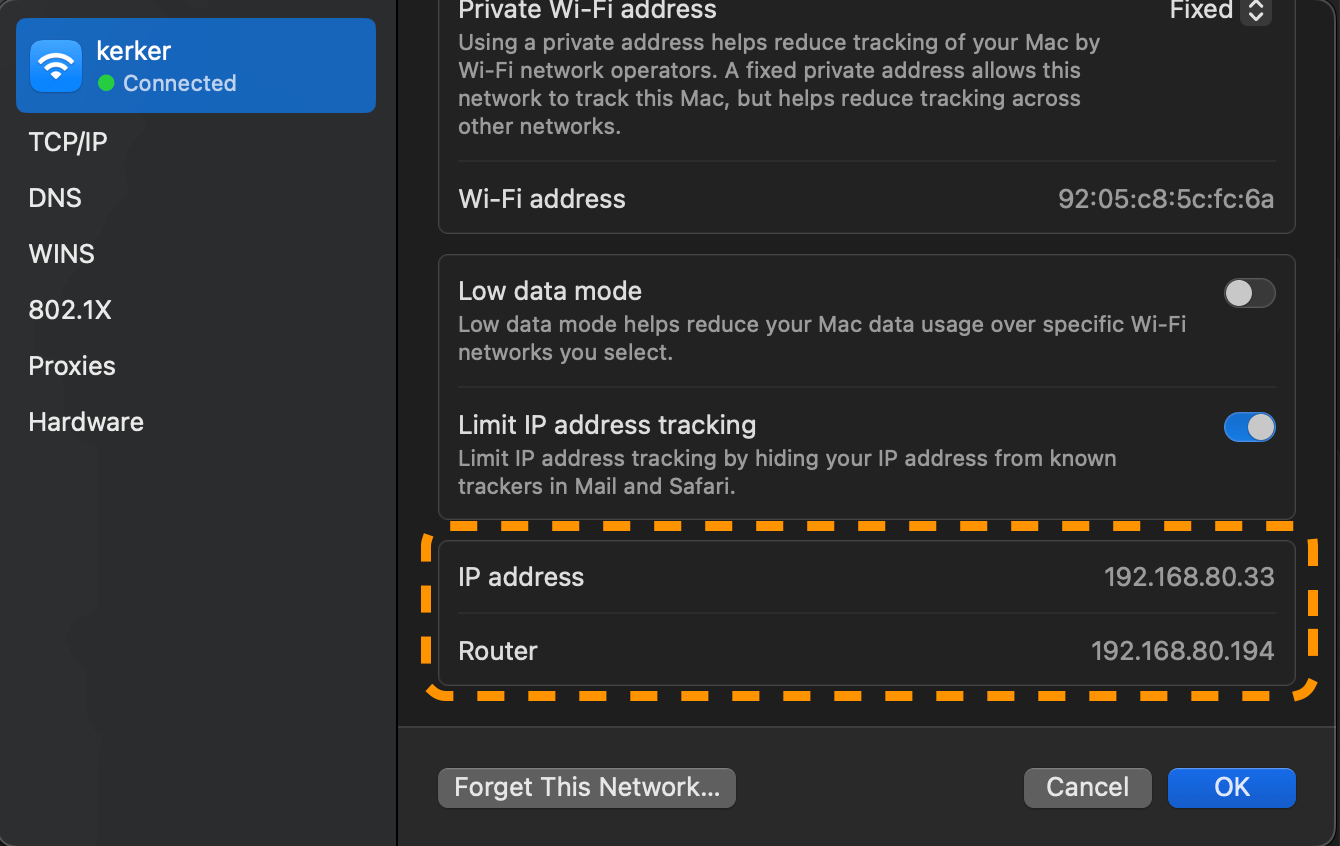
每次在換分享器時,時常需要知道分享器的 IP 位址,常見的預設會是 192.168.0.1,但也可能已經被佔用或是不同廠牌的分享器會有不同的預設 IP 位址,這時候可以如何快速找到預設閘道(default gateway)的位址?進而透過網址存取 http://192.168.0.1 到分享器內部系統設定 🧑💻
方法一:使用 netstat 指令
netstat -rn | grep default
# 這個指令會顯示你的網路卡介面上的預設閘道(default gateway),例如:
# 其中 `192.168.80.194` 就是你的預設閘道位址。
# default            192.168.80.194     UGScg                 en0
方法二:使用 route 指令
route -n get default
# 這個指令會顯示你的網路卡介面上的預設閘道(default gateway),例如:
# 其中 `192.168.80.194` 就是你的預設閘道位址。
#    route to: default
# destination: default
#        mask: default
#     gateway: 192.168.80.194
#   interface: en0
#       flags: <UP,GATEWAY,DONE,STATIC,PRCLONING,GLOBAL>
#  recvpipe  sendpipe  ssthresh  rtt,msec    rttvar  hopcount      mtu     expire
#        0         0         0         0         0         0      1500         0
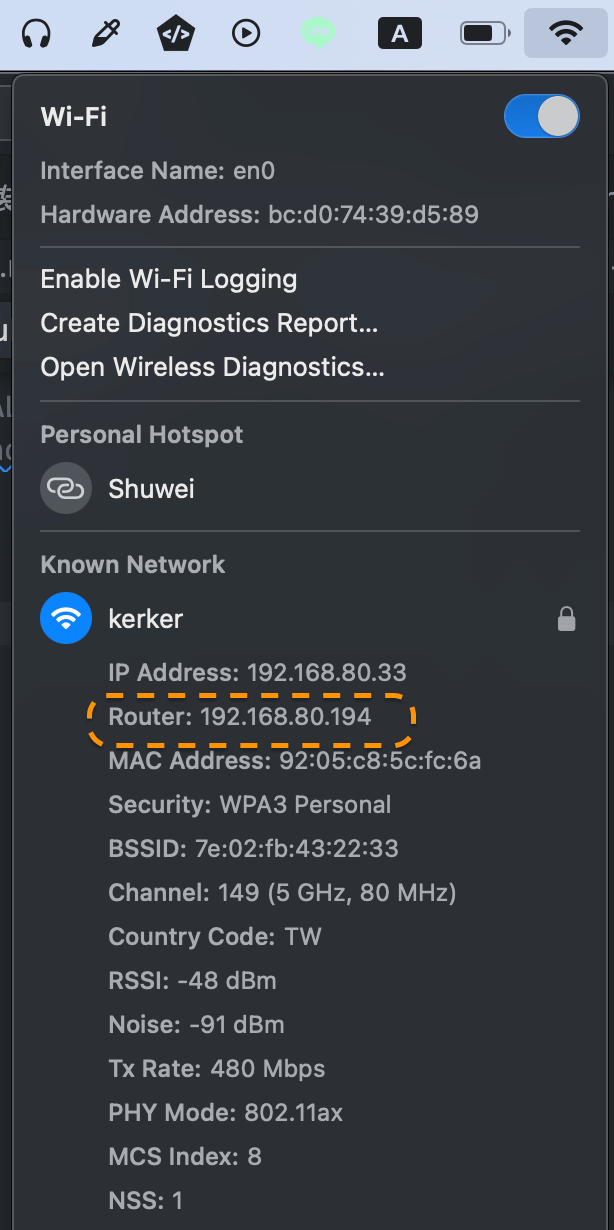
方法三:按著 Option 鍵點擊 Wi-Fi 圖示
可以直接看到預設閘道的位址。
方法四:使用系統偏好設定
- 打開 系統偏好設定。
- 點擊 網路。
- 選擇你正在使用的網路介面(例如 Wi-Fi 或 Ethernet)。
- 點擊 進階。
- 在 TCP/IP 標籤下,你可以看到你目前分配到的私有 IP 位址和預設閘道。