其實原理跟之前的免密碼登入一樣
透過公私鑰,可以建立彼此信任的連線。
首先在 Windows/Linux 輸入 ssh-keygen 產生公私鑰
ssh-keygen
預設會以 RSA 加密產生公私鑰
Enter file in which to save the key (/home/camel/.ssh/id_rsa): Enter (確認檔案放置位置)
Enter passphrase (empty for no passphrase): Enter (不設定密碼)
Enter same passphrase again: Enter (不設定密碼)
PS. Linux 會產生在家目錄、Windows 則會在 C:\Users\[username] 底下的 .ssh 資料夾
產生公鑰:.ssh/id_rsa.pub 產生私鑰:.ssh/id_rsa
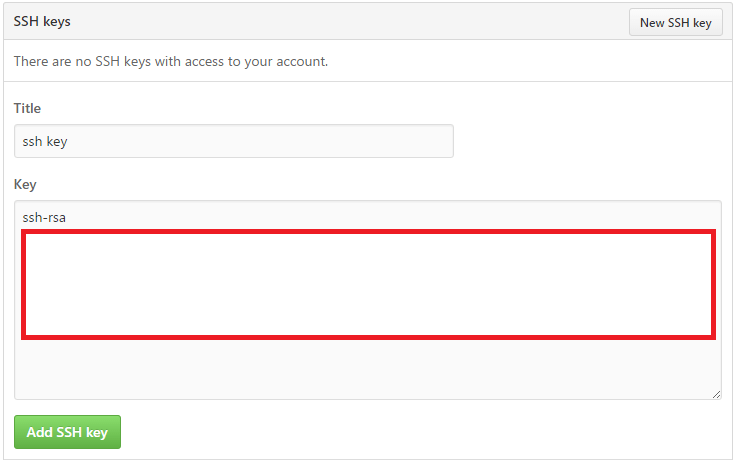
將公鑰的檔案內容貼至 GitHub 的 Settings。(如圖)
這樣就可以免帳密 pull/push/clone 專案了!