最近在使用 n8n 處理一些影片內容時,發現 n8n 內建的 docker image 並沒有 ffmpeg 工具,因此執行 Execute Command 節點時無法直接使用 ffmpeg 進行影片轉檔。
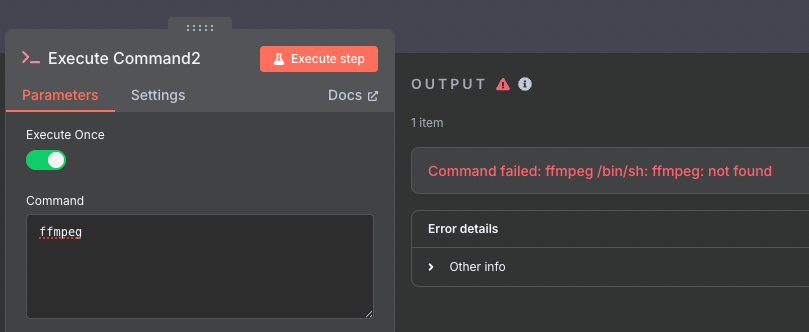
Command failed: ffmpeg not found
由於是用 Docker 部署的 n8n,我們可以自己再包裝一個 ffmpeg 的 docker image,這樣就能在 n8n 的 Execute Command 節點中使用 ffmpeg 指令來處理影片轉檔了。
步驟一:建立內建 ffmpeg 的 Docker Image 的 Dockerfile
# Dockerfile
FROM docker.n8n.io/n8nio/n8n:latest

USER root

RUN apk update
RUN apk add ffmpeg

USER node
步驟二:調整你的 docker-compose.yml
# docker-compose.yml
version: "3.7"

services:
  n8n:
    image: my-n8n-with-ffmpeg:latest
    build:
      context: .
      dockerfile: Dockerfile
    restart: always
    ...
步驟三:重新啟動 docker compose
docker-compose down
docker-compose up -d
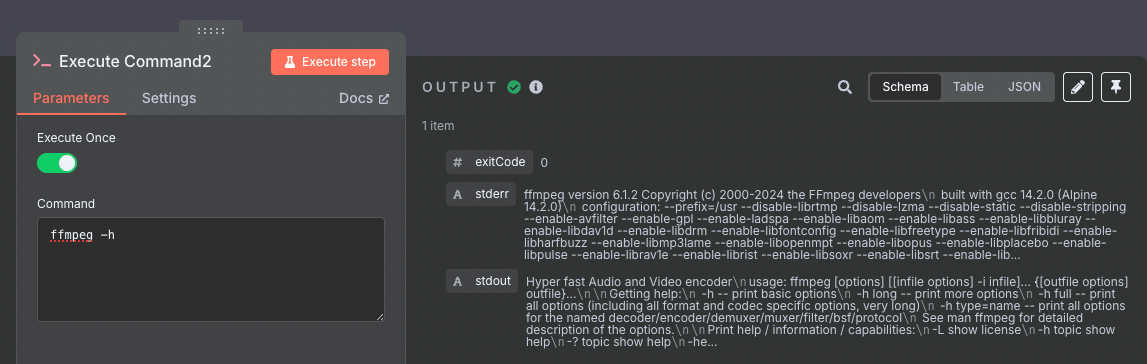
最後: 驗證 ffmpeg 是否可用 🎊
附註: 日後更新 n8n 指令
docker-compose down
docker pull docker.n8n.io/n8nio/n8n:latest
docker-compose up --build -d