Table of Contents
Open Table of Contents
Description
You are given an n x n 2D matrix representing an image, rotate the image by 90 degrees (clockwise).
You have to rotate the image in-place, which means you have to modify the input 2D matrix directly. DO NOT allocate another 2D matrix and do the rotation.
Example 1:
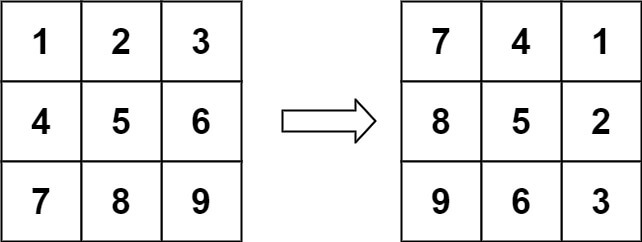
Input: matrix = [[1, 2, 3], [4, 5, 6], [7, 8, 9]];
Output: [[7, 4, 1], [8, 5, 2], [9, 6, 3]];
Example 2:
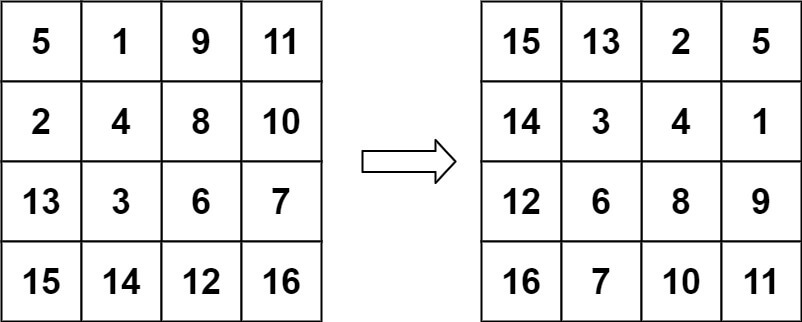
Input: matrix = [ [5, 1, 9, 11], [2, 4, 8, 10], [13, 3, 6, 7], [15, 14, 12, 16]];
Output: [[15, 13, 2, 5], [14, 3, 4, 1], [12, 6, 8, 9], [16, 7, 10, 11]];
Approach
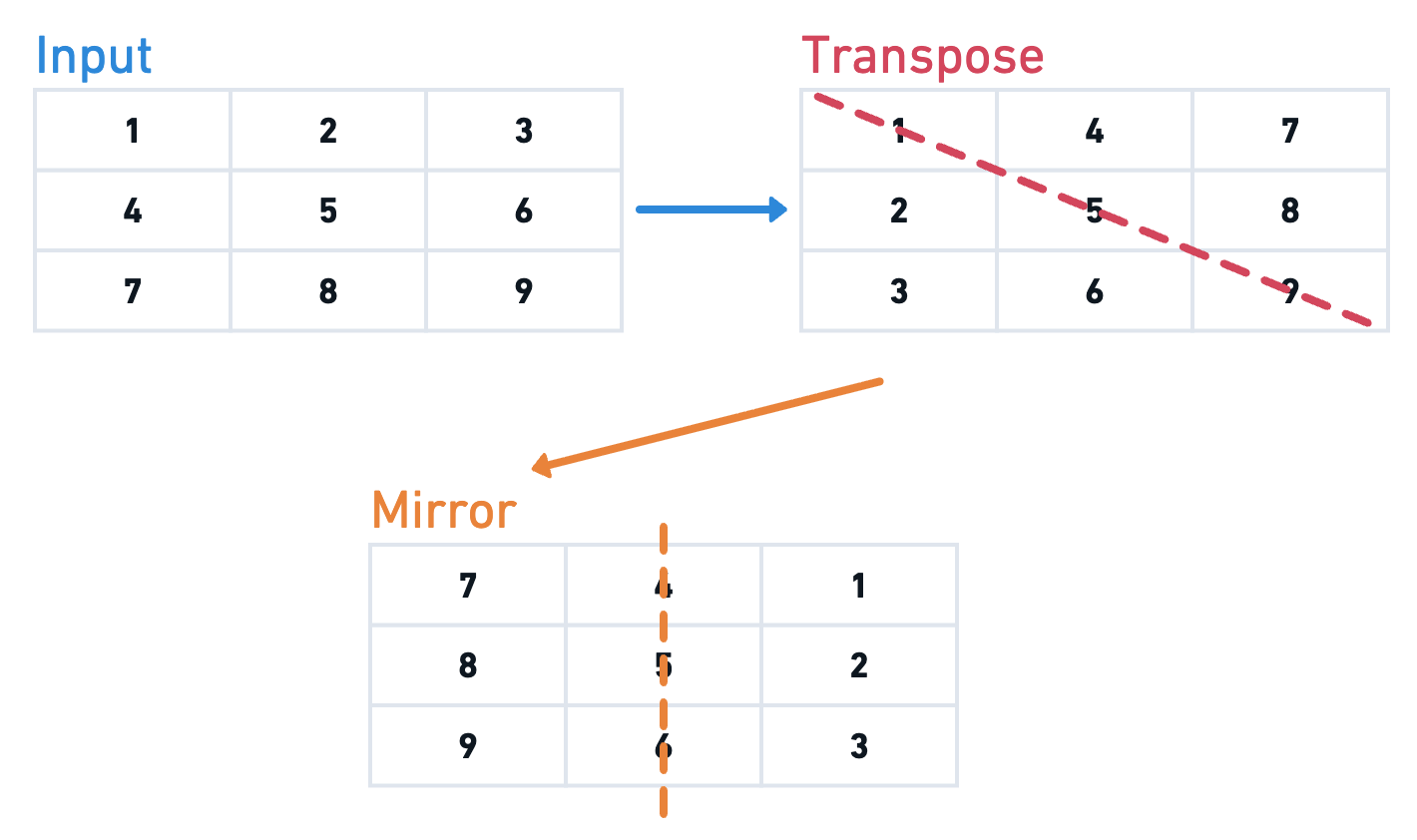
To rotate the matrix in-place by 90deg clockwise, we can perform two steps:
- Transpose the matrix: Swap elements across the diagonal.
- Reverse each row: Reverse the elements in each row.
This transforms the matrix into its rotated form without using extra space.
Solution
/**
 * @param {number[][]} matrix
 * @return {void} Do not return anything, modify matrix in-place instead.
 */
var rotate = function (matrix) {
  const n = matrix.length;

  // Step 1: Transpose the matrix
  // Swap elements matrix[x][y] and matrix[y][x] for all pairs where y >= x
  // This converts rows to columns and vice versa.
  for (let x = 0; x < n; x++) {
    for (let y = x; y < n; y++) {
      // Swap element at (x, y) with element at (y, x)
      [matrix[x][y], matrix[y][x]] = [matrix[y][x], matrix[x][y]];
    }
  }

  // Step 2: Reverse each row
  // After transposing, reversing each row achieves the 90-degree clockwise rotation.
  for (let x = 0; x < n; x++) {
    matrix[x] = matrix[x].reverse();
  }
};
Complexity Analysis
Time Complexity
The time complexity is , where is the number of rows (or columns) in the square matrix. Each element is visited and moved exactly once during the rotation process.
Space Complexity
The space complexity is , since the rotation is performed in-place without using any additional data structures.