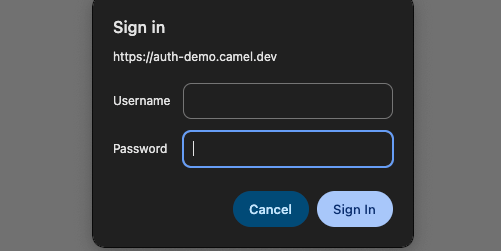
在 Cloudflare Workers & Pages 可以部署許多靜態頁面甚至 serverless 的應用,但有時候你希望這個應用或是特定路徑能夠加上 HTTP Basic Authentication,讓應用不會被隨意存取,這時候可以怎麼做呢?
透過下面的實作步驟,最終我們希望可以有一個受到 HTTP Basic Authentication 保護的效果
例如:👉 https://auth-demo.camel.dev/
- Username:
auth_demo_user - Password:
auth_demo_password
- 在專案目錄新增一個 Cloudflare Pages functions 資料夾
mkdir functions
- 在
functions資料夾內新增一個_middleware.js檔案,用來攔截所有的請求
touch functions/_middleware.js
- 在
_middleware.js檔案內實作 HTTP Basic Authentication 的邏輯
export async function onRequest({ request, next, env }) {
  const authHeader = request.headers.get("Authorization");

  // Check if the Authorization header is present and starts with 'Basic'
  if (!authHeader?.includes("Basic")) {
    return promptForAuth();
  }

  // Decode credentials
  const base64Credentials = authHeader.split(" ")[1];
  const [username, password] = atob(base64Credentials).split(":");

  // Check if credentials match
  if (
    username !== env.BASIC_AUTH_USERNAME ||
    password !== env.BASIC_AUTH_PASSWORD
  ) {
    // Invalid credentials - prompt for authentication
    return promptForAuth();
  }

  // Valid credentials - proceed to next handler
  return await next();
}

function promptForAuth() {
  return new Response("Authentication required", {
    status: 401,
    headers: { "WWW-Authenticate": "Basic" },
  });
}
-
在 Cloudflare Pages 的專案頁面,Settings > Variables and Secrets 中
新增兩個環境變數BASIC_AUTH_USERNAME與BASIC_AUTH_PASSWORD,並填入你想要的帳號密碼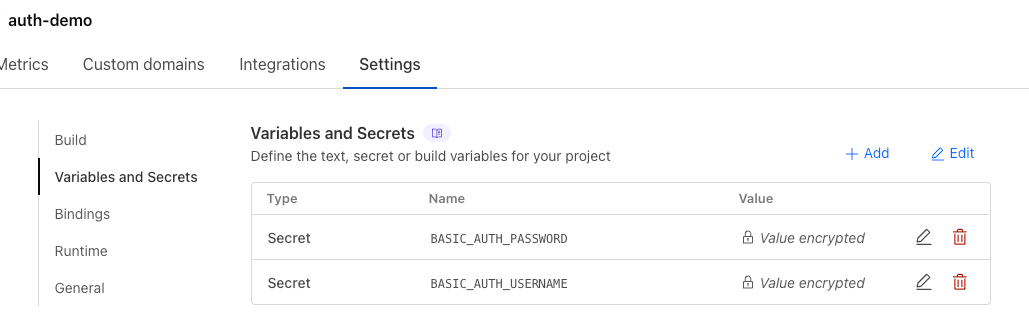 🎗️ 記得在 Production 環境與 Preview 環境都要新增這兩個環境變數
 -
部署後,就會跳出 HTTP Basic Authentication 的視窗,需要輸入帳號密碼才能進入網站
🙋♂️ 最後,如果你希望這個 HTTP Basic Authentication 僅套用到特定路徑。
例如:只有 /users 需要帳號密碼存取
可以直接將 _middleware.js 移動至 functions/users/_middleware.js,這樣就只會對 /users 底下的路徑啟用 HTTP Basic Authentication,其他的路徑都不會受到影響。
完整程式碼 Repo
如果你想要參考完整的程式碼,可以到 https://github.com/camel2243/auth-demo